Step 2: Choose the Right Type of Chatbot
There are essentially three categories of chatbots you’ll come across, and understanding the difference matters a lot before you commit to one.
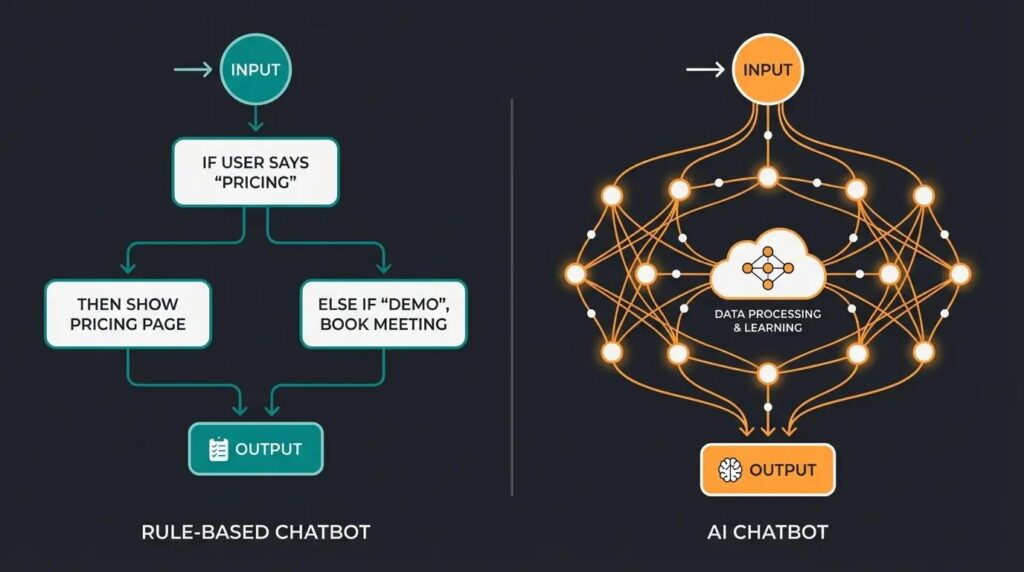
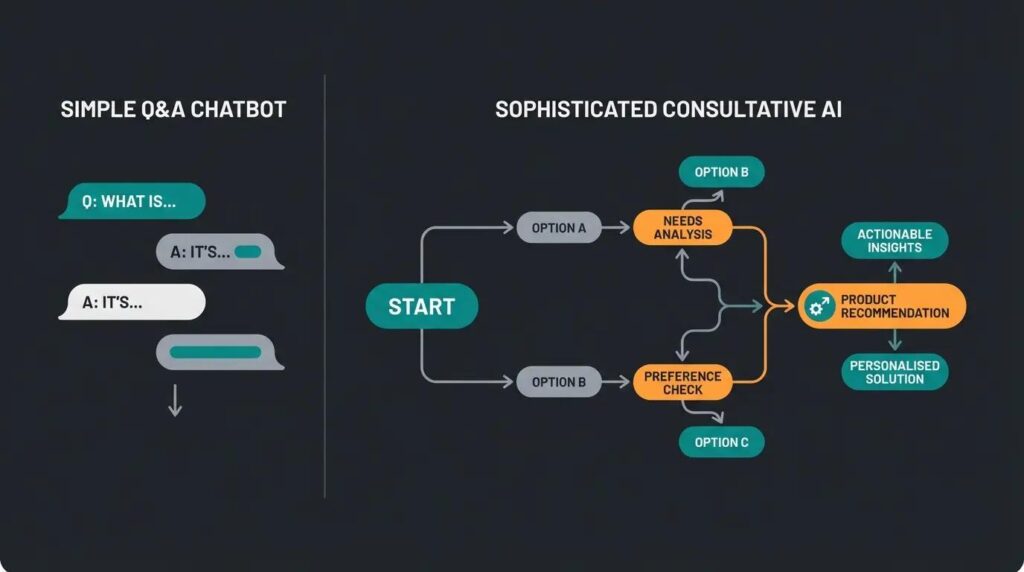
Rule-based chatbots follow a fixed decision tree. You click a button, it shows you an answer, you click another button. These are cheap, predictable, and great for simple FAQs, but they can feel robotic and frustrating if a visitor’s question doesn’t fit neatly into the predefined options.
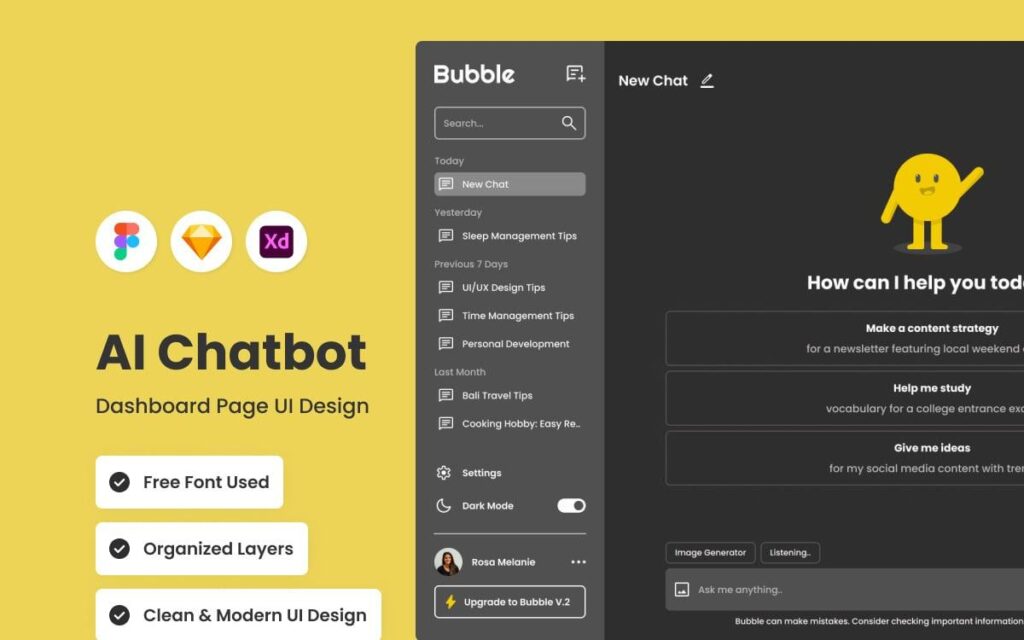
AI-powered chatbots, often built on large language models, can understand natural language and hold much more human-like conversations. These are significantly more capable, can handle unexpected questions gracefully, and tend to convert better because visitors don’t feel like they’re talking to a glorified FAQ page.
Hybrid chatbots combine both — a structured flow for common scenarios with AI-powered flexibility layered in for anything outside that flow. For most businesses in 2026, hybrid or fully AI-powered chatbots are the smarter long-term investment, even though rule-based options remain the cheapest entry point.
Step 3: Pick a Chatbot Platform
This is where most of the actual decision-making happens. You have two broad routes here.
No-code chatbot builders are the fastest and most accessible option, especially if you’re not working with a developer. Platforms like Tidio, Intercom, Drift, ManyChat, Chatbase, and Landbot let you build and deploy a chatbot through a visual interface, often with pre-built templates for common use cases like lead capture, e-commerce support, or appointment booking. Many of these now include AI-powered conversation layers built on top of models similar to what powers ChatGPT, so you get natural language understanding without touching a line of code.
Custom-built chatbots involve integrating an AI API directly into your website’s backend, giving you full control over tone, behavior, and functionality. This route requires developer involvement but gives you a chatbot that’s genuinely tailored to your business rather than fitted into a template. This is generally worth it once your business has more complex needs — multi-step workflows, integration with internal databases, or highly specific brand voice requirements.
For most small to medium businesses just getting started, a no-code platform is the sensible starting point. You can always graduate to a custom build later once you understand exactly what your visitors are asking for.
Step 4: Set Up Your Chatbot Account and Choose a Template
Once you’ve picked a platform, sign up and start with a template close to your use case — most tools offer separate templates for lead generation, customer support, e-commerce, and appointment scheduling. Starting from a template rather than a blank canvas saves significant setup time and helps you avoid missing obvious conversation branches.
At this stage, you’ll also typically choose your chatbot’s appearance — its avatar, color scheme, chat bubble position, and greeting message. Keep this aligned with your website’s branding. A chatbot that looks like it was bolted on as an afterthought actually hurts trust rather than helping it.
Step 5: Train Your Chatbot on Your Business Information
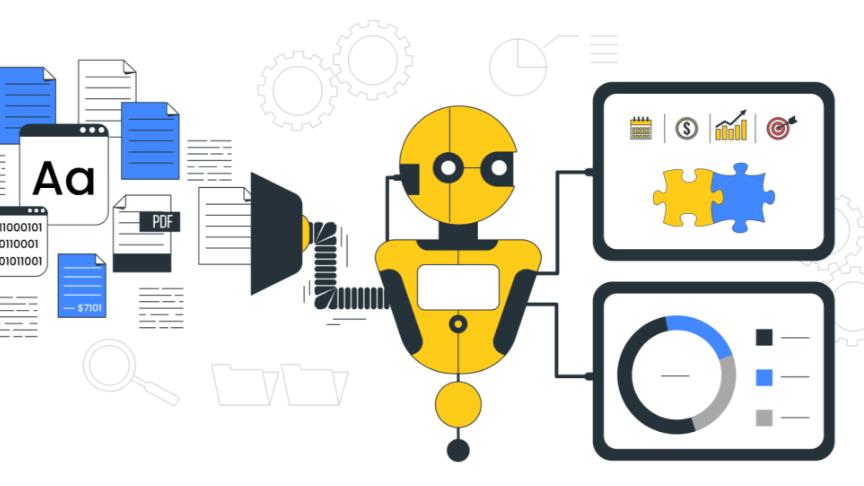
This is the step that separates a genuinely useful chatbot from a frustrating one. Most modern AI chatbot platforms let you “train” the bot by feeding it your website content, FAQ pages, product catalogs, and support documentation. Some tools let you simply paste in your website URL and they’ll automatically scan and learn from your existing pages.
Take the time to also manually add answers to your most common customer questions — things like pricing, delivery timelines, refund policies, or service areas. The more specific and accurate this information is, the less often your chatbot will give vague or unhelpful answers, which is usually the number one complaint visitors have about chatbots.
If your chatbot will handle sensitive topics like billing disputes or account issues, also set up clear escalation rules so it hands off to a human team member rather than trying to resolve everything itself.
Step 6: Design the Conversation Flow
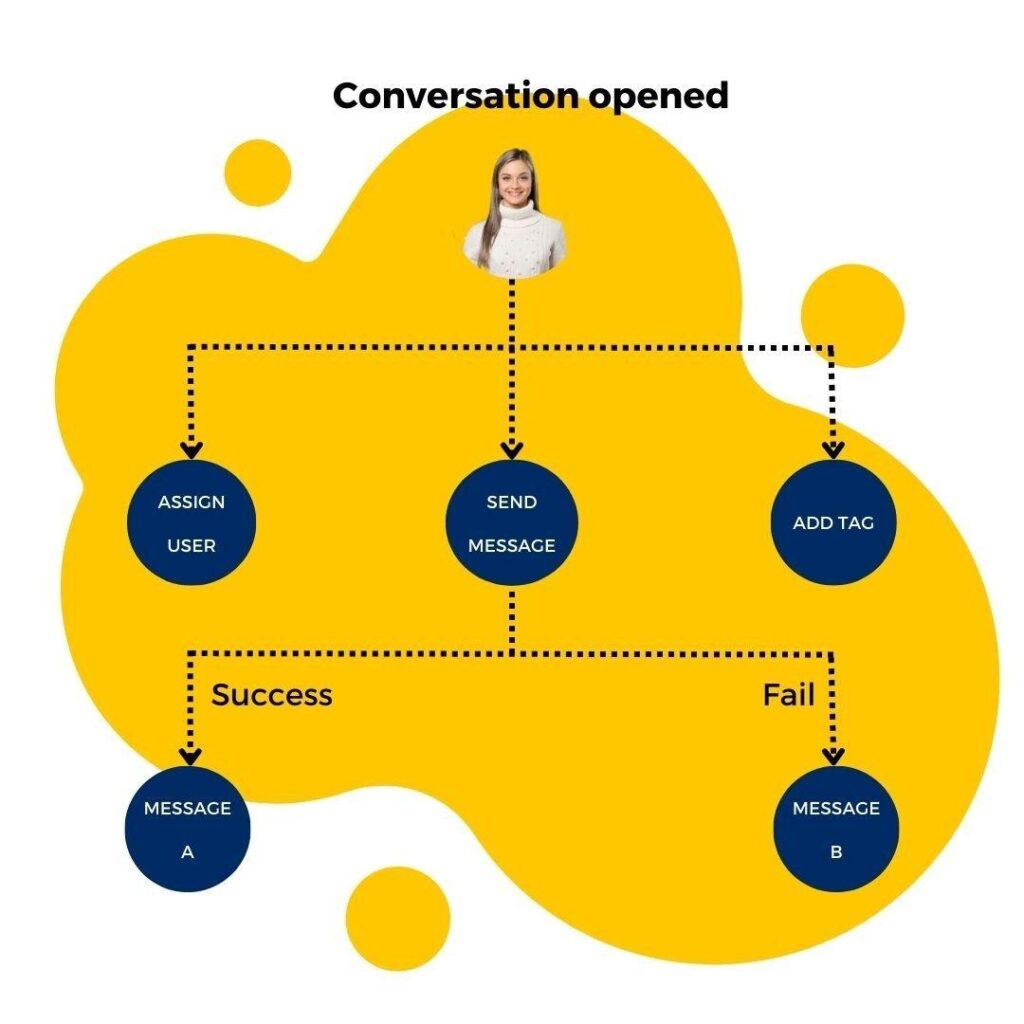
Even AI-powered chatbots benefit from some structure. Map out your chatbot’s opening message, the two or three most common paths a visitor might take, and where each path should lead — whether that’s collecting contact details, booking a call, or answering a question directly.
Keep the greeting short and specific rather than generic. Instead of “Hi! How can I help you today?”, something like “Looking for pricing, support, or just browsing?” gives visitors a clearer, faster way to engage.
Also decide what happens when the chatbot doesn’t know an answer. A good fallback message that offers to connect the visitor with a human, or collects their email for a follow-up, prevents dead-end conversations that drive people away.
Step 7: Integrate the Chatbot Into Your Website
Most chatbot platforms make this step remarkably simple. You’ll typically get a small snippet of JavaScript code to paste into your website’s header or footer, depending on your website builder.
If you’re on WordPress, most chatbot platforms have a dedicated plugin, so you can install it directly from the plugin directory without touching any code at all. If you’re using Shopify, Wix, Squarespace, or similar platforms, look for the chatbot’s specific integration or app within that platform’s app marketplace.
For custom-built websites, your developer will paste the provided script tag directly into your site’s codebase, usually just before the closing body tag.
Step 8: Test Everything Before Going Live
Don’t skip this. Go through every conversation path you designed and try to break it. Ask the chatbot questions you didn’t anticipate. Check how it behaves on mobile, since a large share of your visitors will be on their phones. Confirm that lead capture forms are actually sending data where they should — whether that’s your CRM, email inbox, or a spreadsheet.
Test the escalation flow too. If a real customer needs urgent human help, make sure the handoff actually works and doesn’t leave them stuck talking to a bot that can’t help them.
Step 9: Connect It to Your Existing Tools
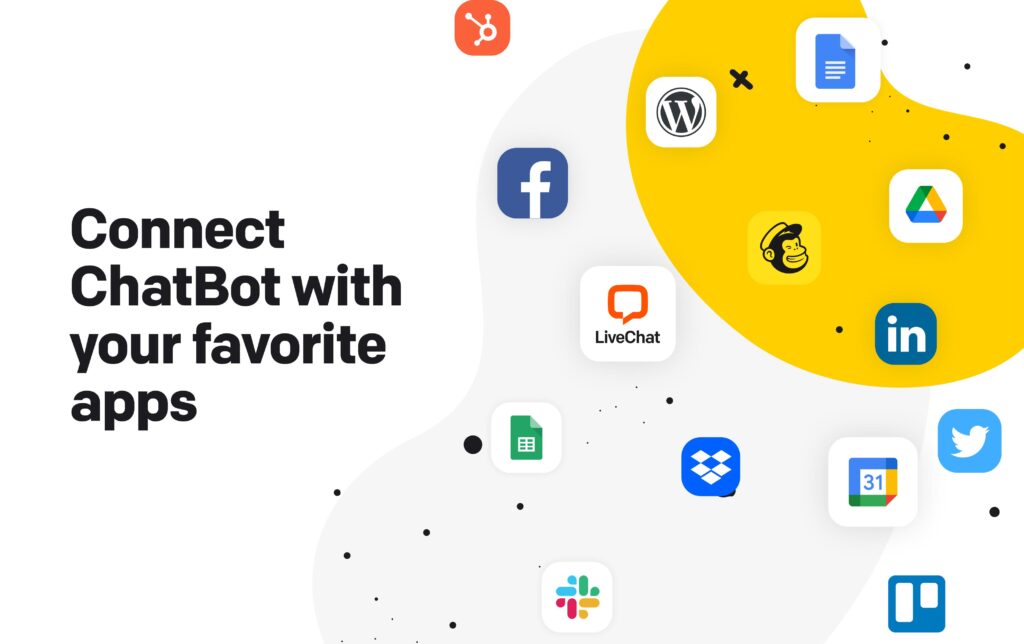
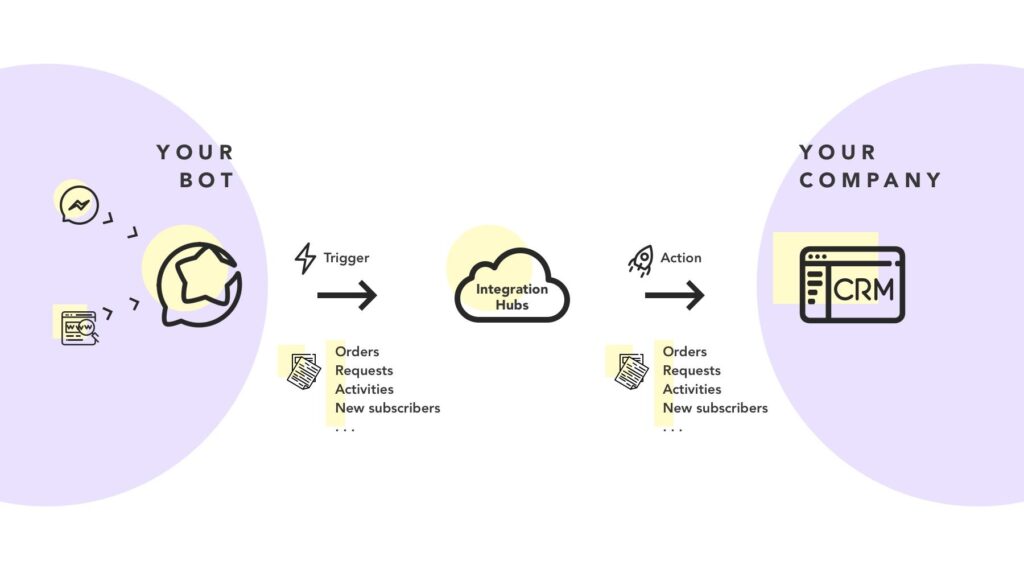
A chatbot working in isolation is useful, but a chatbot connected to your CRM, email marketing platform, calendar, and support ticketing system is genuinely powerful. Most established chatbot platforms offer native integrations or at least support Zapier, which lets you connect your chatbot to hundreds of other tools without custom development.
This is where a chatbot stops being just a website widget and starts becoming part of your actual sales and support pipeline — automatically creating leads in your CRM, sending booked appointments straight to your calendar, or logging support tickets for your team to follow up on.
Step 10: Monitor, Review, and Improve
Once your chatbot is live, your job isn’t done. Most platforms give you access to conversation logs and analytics showing what visitors are actually asking, where conversations drop off, and how often the bot successfully resolves a query versus escalating to a human.
Review this regularly, especially in the first few weeks. You’ll almost certainly find gaps — questions the chatbot couldn’t answer well, or a conversation flow that confuses more visitors than it helps. Treat your chatbot as something you refine over time, not a one-time setup you forget about.
How to Actually Choose the Best Chatbot for Your Website
With so many options available, here’s a simple way to narrow things down. If budget is your main constraint and your needs are simple, start with a free-tier, no-code AI chatbot builder and expand later. If you’re running an e-commerce store, prioritize platforms with strong product catalog integration and cart recovery features. If lead generation is your priority, look for chatbots with strong CRM integrations and lead-scoring capabilities. And if natural, human-like conversation quality matters most to your brand, prioritize AI-powered platforms over purely rule-based ones, even if they cost a little more.
A few things trip up businesses again and again when adding a chatbot. Overloading the chatbot with too many options upfront overwhelms visitors instead of helping them. Neglecting to update the chatbot’s knowledge base as your products, pricing, or policies change leads to outdated, incorrect answers being given to real customers. And launching without a clear human escalation path frustrates visitors who have a genuine problem the bot simply can’t solve.
Final Thoughts
Adding an AI chatbot to your website isn’t the complicated technical project it might seem like from the outside. With the right platform, a clear sense of what you want it to accomplish, and a bit of ongoing attention after launch, you can have a genuinely useful chatbot live on your site in a matter of hours, not weeks.
The businesses that get the most value out of chatbots aren’t necessarily the ones with the fanciest AI behind the scenes — they’re the ones that took the time to train it properly, connect it to their existing systems, and keep refining it based on what real visitors are actually asking. Get those fundamentals right, and your chatbot stops being just another widget on your site, and starts becoming one of your most reliable digital employees.